Cement Mixer Application
Mack Platform. Volvo Trucks North America
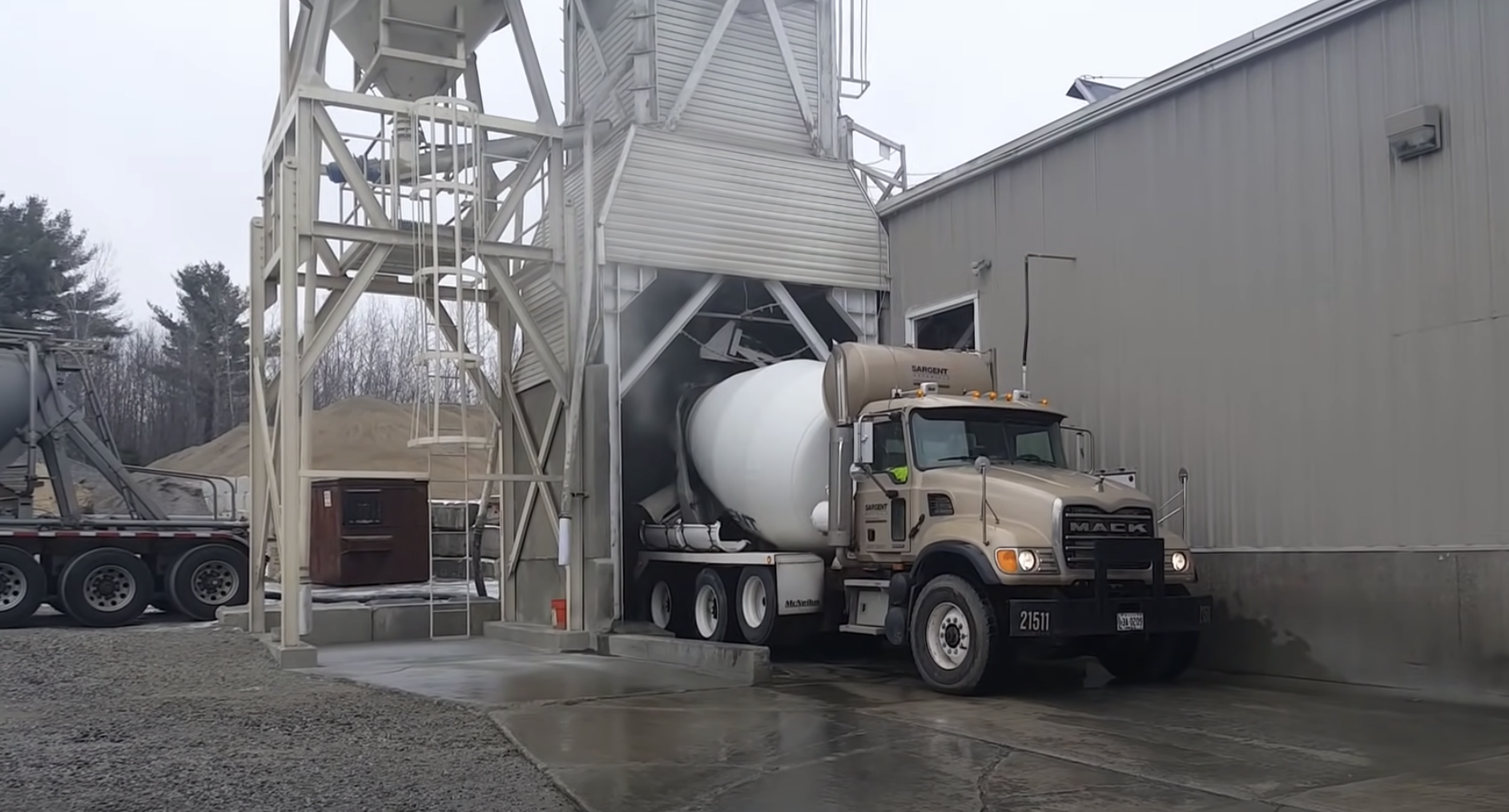
Ready-mix concrete drivers run a full loading, transport, and pour cycle using switches mounted outside the cab, hand signals, and a clipboard — with almost no in-cab visibility into load status, timing, or routing. This concept explores what a purpose-built HMI for that job could look like..
01 - Brief
Designing the digital co-pilot for a job most systems never bothered to study
01
Challenge
Create digital assistance for a bodybuilder platform — the equipment mounted on a commercial chassis — that helps the driver work more efficiently and deliver the product with confidence.
02
Scope
Develop a generic in-cab application to demonstrate how the driver's user experience could improve across a full delivery cycle.
Use case: cement mixer
03
Role
UX project designer and architect, working alongside a chief designer, an engineer, and an industrial designer to take the concept from field research through to a testable interface.
My Role
Interaction Designer - Application Architect
Timeline
2019 – 2020
Company
Mack Trucks North America
Partners
Industrial Designer, Chief Designer and Engineers
02 - Research Methodology
An on-the-field study of a job that had never been mapped
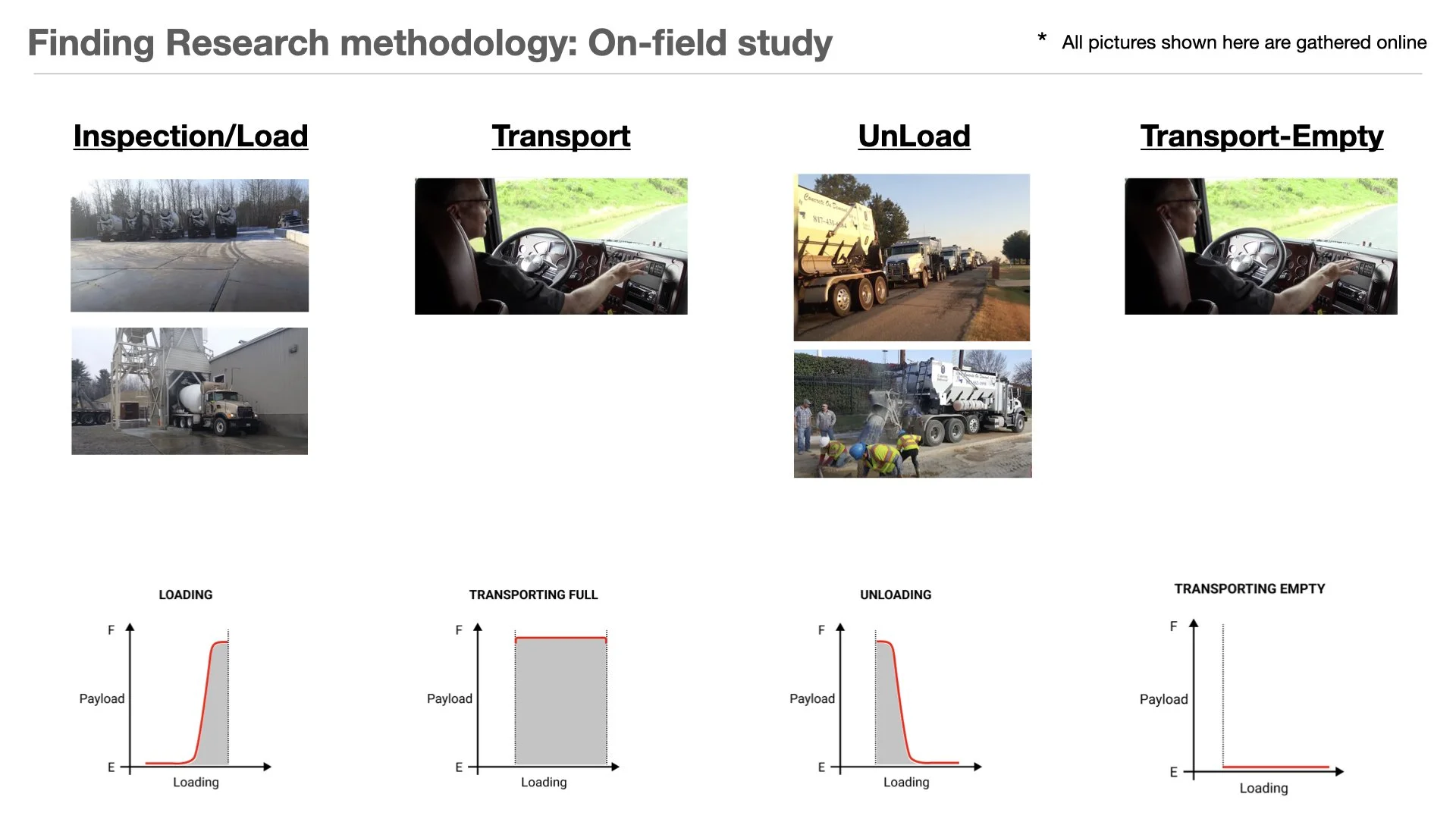
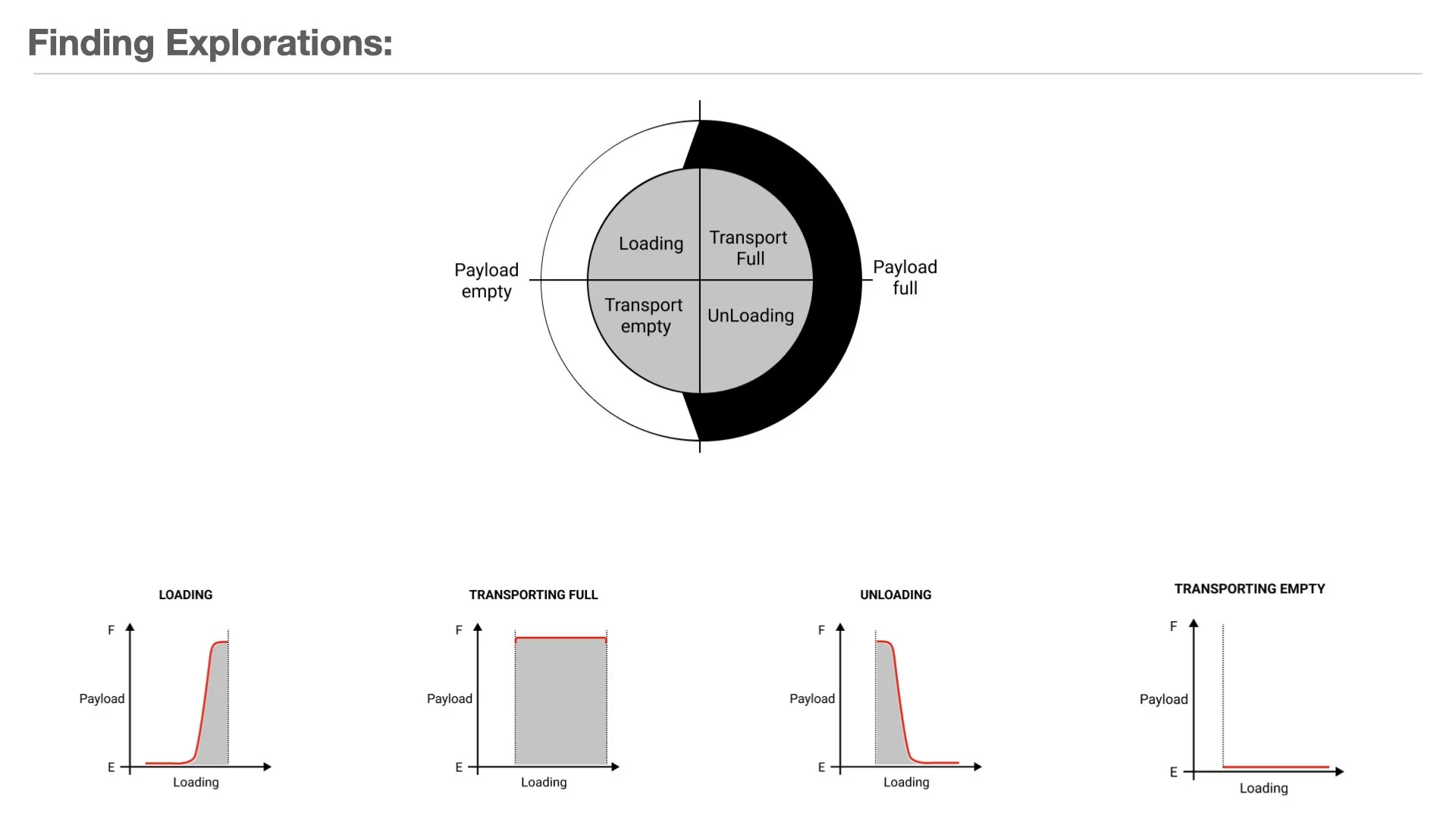
There was no existing HMI to audit and no prior research to build on. The starting point was watching the delivery cycle itself — inspection and loading, transport, unloading, and the empty return — and plotting how payload actually moves through each phase.
03 - Findings
What the job actually demands, versus what the cab actually provides
The gap between the two became the design brief.
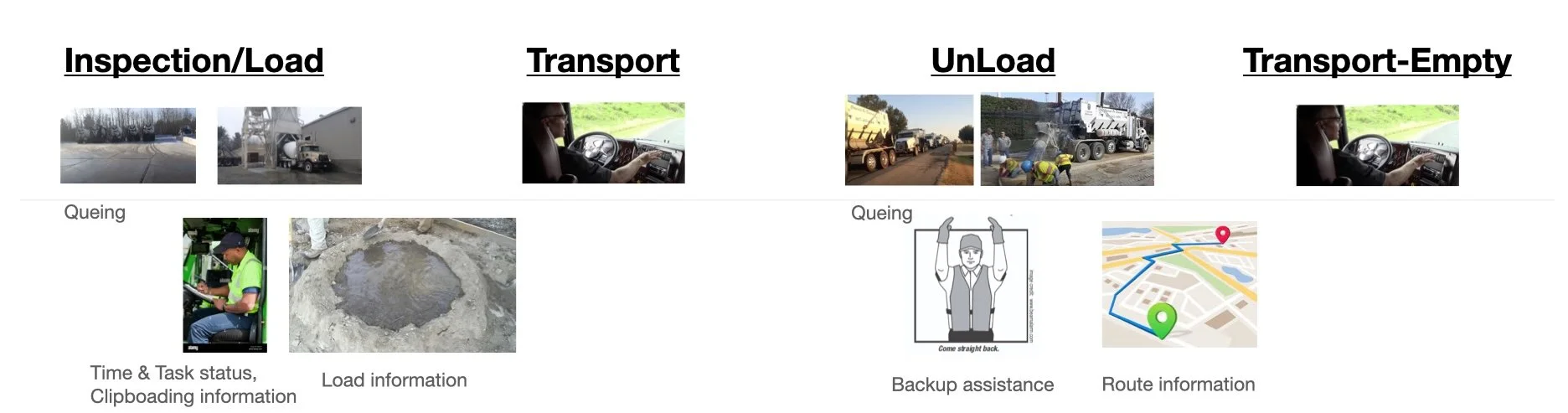
Driver Behavior — Needs & Expectations
01
The driver operates the mixer using switches and buttons mounted outside the cab.
02
Clipboards are still used for invoicing, checkpoints, and pre-inspection.
03
Hand gestures are the only backup assistance system between the driver and the ground crew.
04
The mechanical complexity of mixing cement correctly is significant, and drivers are often unaware of it in the moment.
05
The water level has to be checked manually for the mix to set properly.
Problems & Opportunity — Where Efficiency Could Improve
01
Surface time and task status directly in the cab.
02
Assist with routing information between pickups and pours.
03
Make load information — weight, water, mix status — visible without leaving the seat.
04
Introduce collision detection for tight job-site maneuvering.
05
Explore vehicle-to-vehicle communication and automation as queuing grows.
06
Replace hand-signal backup assistance with a digital equivalent.
04 - Framing the Cycle
Four states, one continuous loop
Every screen in the concept maps back to this cycle — the system always knows which of the four states the truck is in and surfaces only what that state requires.
05 - Architecture exploration
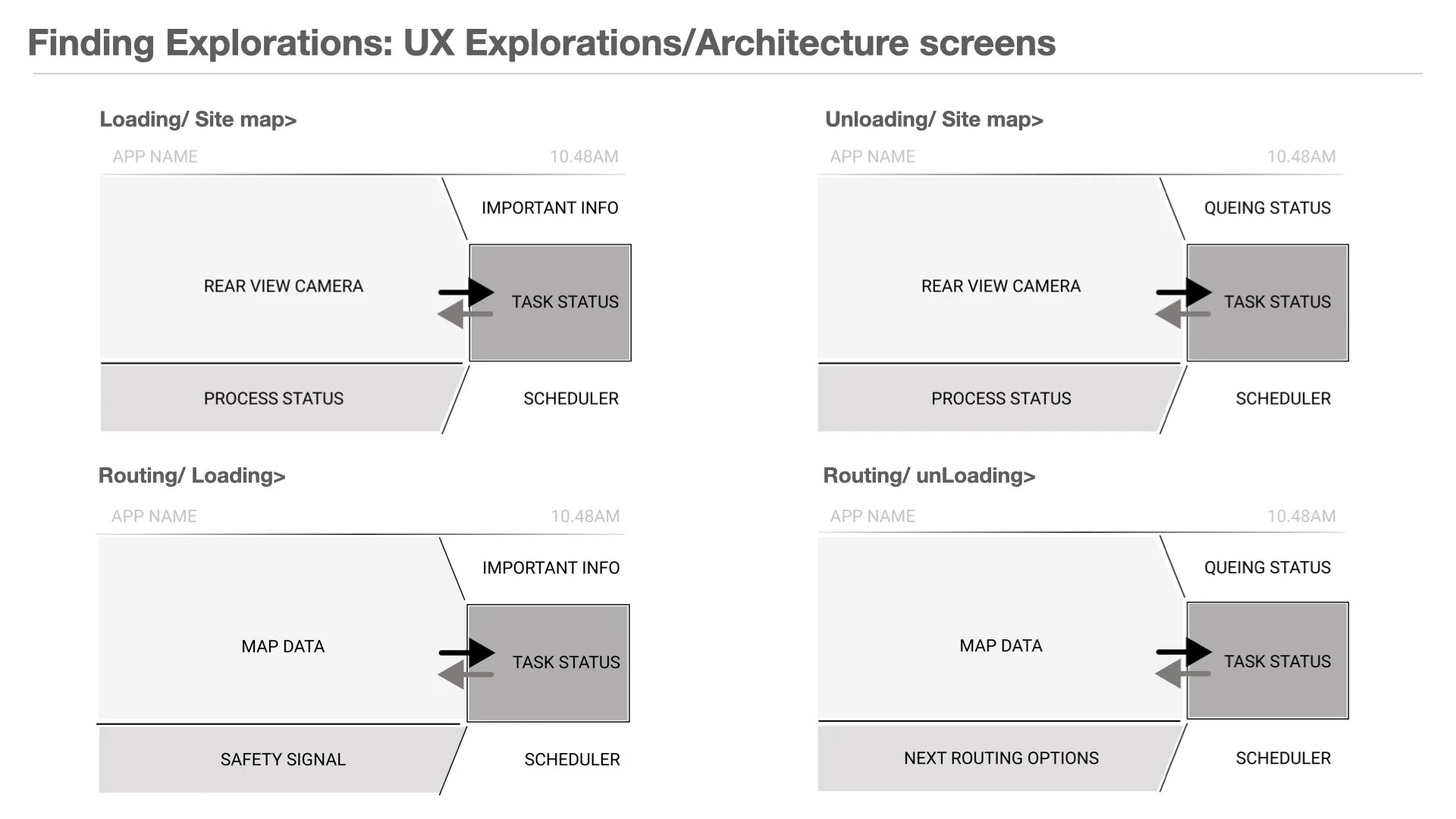
Structuring the screen around what changes and what doesn't
Two zones remained constant across all states - a live camera or map view and a persistent task-status panel— while the surrounding content swapped based on where the truck was in the cycle.
06 - Final Concept
An interface that always knows what phase the truck is in
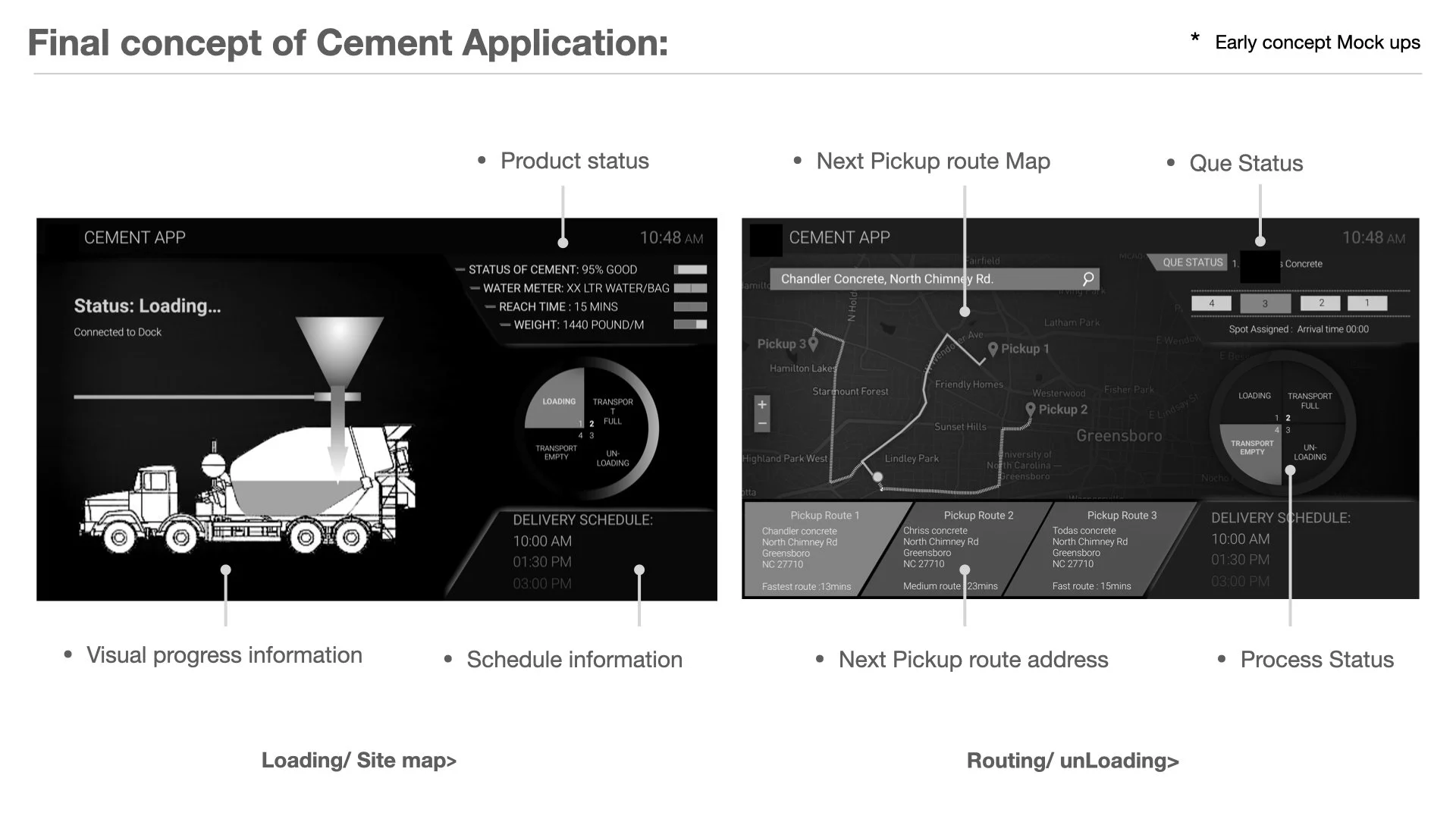
Early concept mockups — the loading view keeps mix status, water, weight, and delivery schedule in view without the driver leaving the seat; the routing view turns queuing and multi-pickup logistics into a single glanceable map.
Loading and site map screen concept showing cement status, water meter, weight, and delivery schedule
Loading / Site Map
Real-time cement, water, and weight status replace outside-cab switches
Cycle indicator shows exactly where the truck sits in the four-phase loop
Delivery schedule stays visible without a separate clipboard
Routing and unloading screen concept showing next pickup route map and queue status
Routing / Unloading
Next pickup route and address surface automatically as one job wraps up
Queue status replaces hand signals for backup and job-site sequencing
Route options are ranked by time, not just distance