
IN PRODUCTION
IDEA AWARD
RED DOT AWARD
SAFETY-CRITICAL HMI
IN VEHICLE INTERACTION
TRUCKING INDUSTRY
MULTI BRAND
HMI System for Long Haul Trucks
Volvo VNL Platform. Volvo Trucks North America
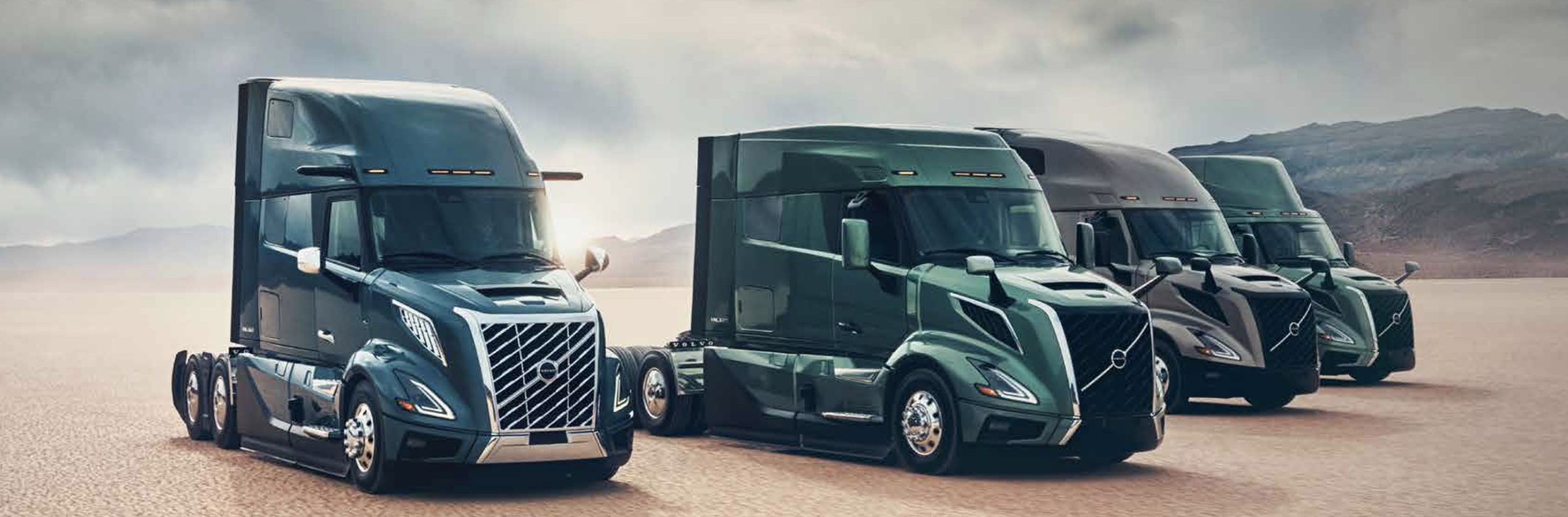
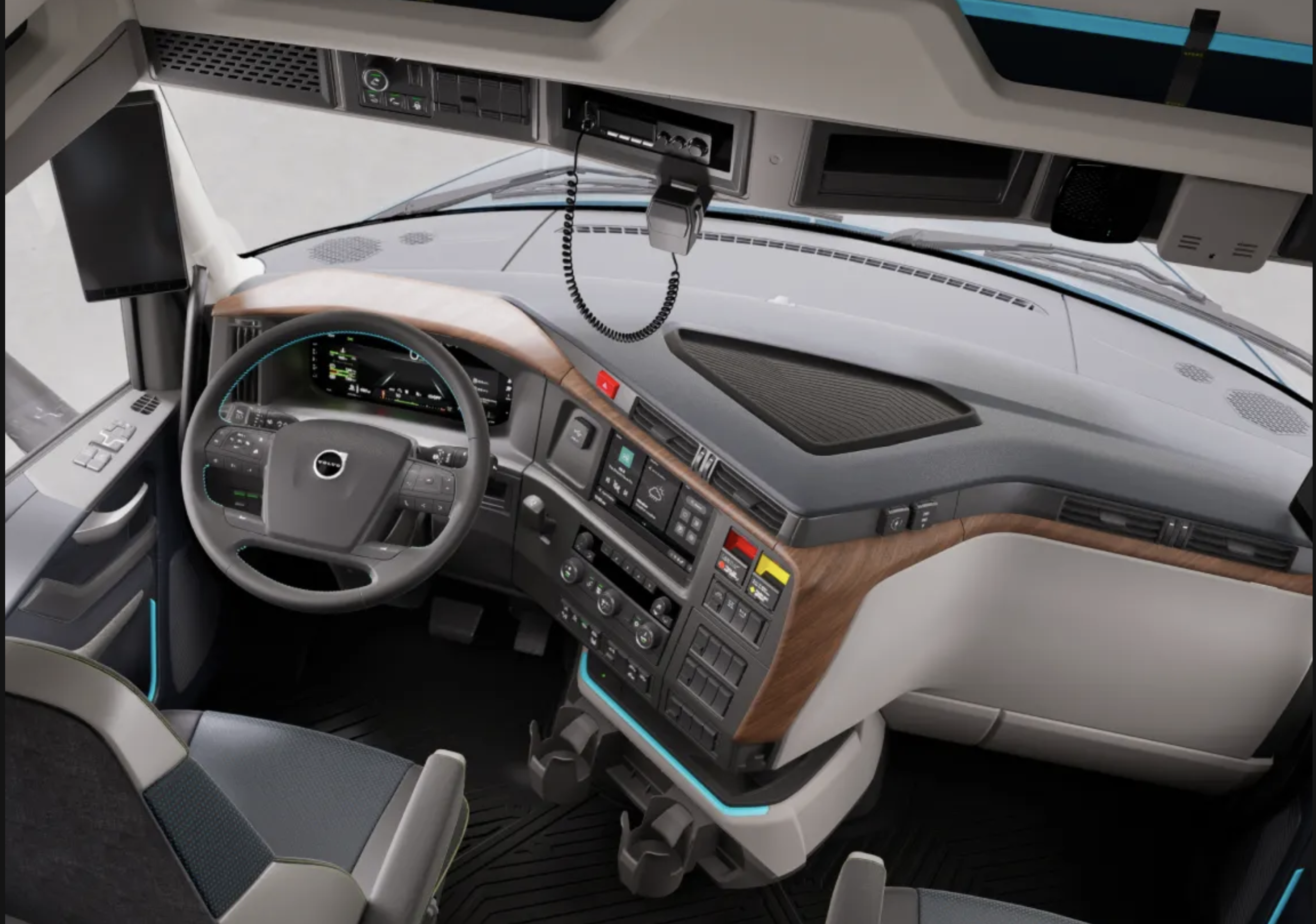
Volvo VNL Platform — North America's leading heavy-duty commercial truck. I contributed to instrument cluster, infotainment, control modules, and iconography across the interior digital ecosystem.
2
Industry awards - IDEA & Red dot
6 +
HMI domains delivered - cluster, infotainment, DECM, LECM, Icons, app
2025
Released and on the market
VNL
Platform - Flagship heavy-duty North American truck
01 - BRIEF
Where safety,
complexity, and scale
collide
01
Safety-critical at 80mph
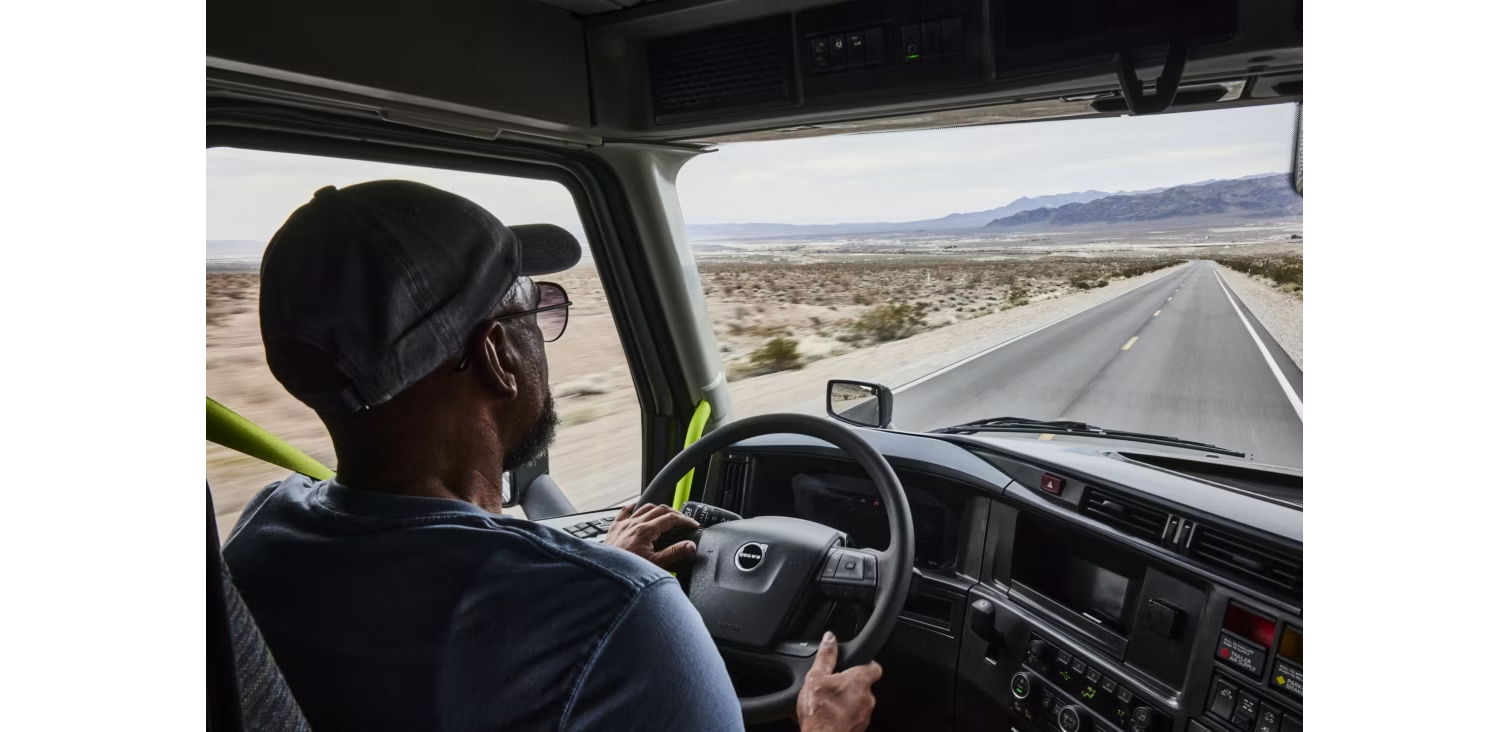
Commercial truck drivers manage routes, cargo, fuel, temperature, and vehicle health — all while navigating high-speed freight corridors. Every HMI decision directly affects driver safety and delivery outcomes. There is no tolerance for confusion in the cab.
02
A system, not a screen
This wasn't a single-screen redesign. It spanned instrument cluster, infotainment, two physical control modules, iconography, and a companion app — all of which had to form a coherent, unified interaction language across hardware and software simultaneously.
03
Multi-brand with one foundation
The VNL platform shares foundational architecture with Mack Trucks and European Volvo platforms. Every design decision had to be portable — flexible enough for brand differentiation, robust enough to scale without duplication of engineering effort.
Company
Volvo Trucks North America
(shared with MACK & EU platforms)
My Role
Interaction Designer — Strategy, HMI, Advanced Design, Multi-brand
Timeline
2019 – 2020
Released on the market in 2025
Partners
UX Designers, Industrial Designers, Engineers, Feature Leaders, Product Planners, Ergonomics & Safety
IDEA Award — Industrial Design Excellence
Red Dot Award — Product Design
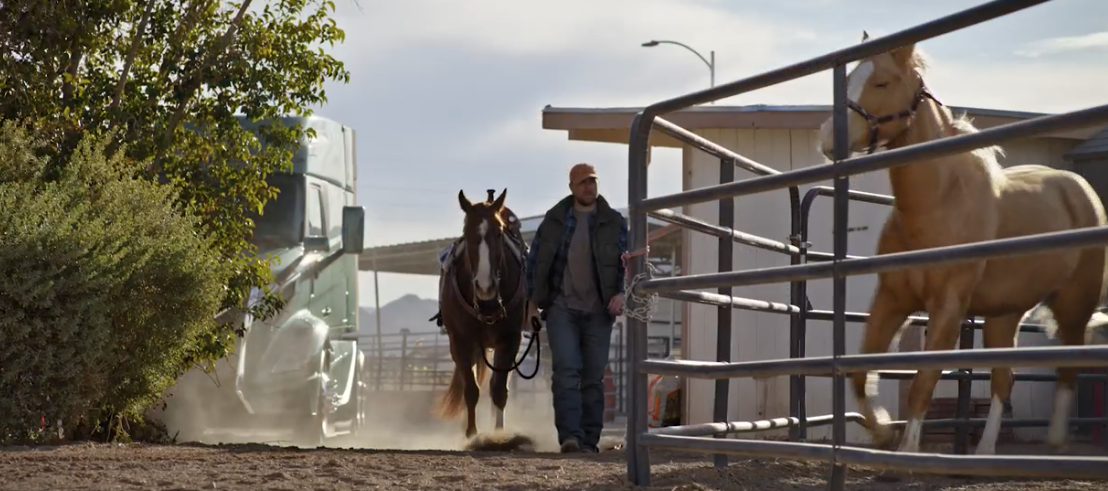
The driver is
never just driving
Long-haul commercial truck drivers operate in one of the most demanding work environments of any profession. They're managing fuel economy, route optimization, cargo temperature, vehicle diagnostics, regulatory compliance (HOS logs), communication, and fatigue — simultaneously. Designing for this ecosystem requires understanding the full cognitive load, not just the screen in front of them.
02 - DRIVER NEEDS
⛽
Fuel Efficiency
Fuel is the highest operating cost for fleets. Drivers need instant, actionable feedback on driving behaviors that impact MPG — not buried in menus.
🛡
Safety
Every HMI interaction competes with road attention. Warning hierarchies, glanceability, and physical control placement are all life-safety decisions.
🎯
Drive Focus
Information architecture must surface the right data at the right moment. Secondary tasks (routes, calls, music) must never demand more than a glance.
📡
Connected
Fleet managers, dispatchers, navigation, and entertainment — the cab is an office. Seamless connectivity between in-cab and mobile is non-negotiable.
📋
Productivity
Drivers are workers. HOS logging, delivery confirmations, fleet messaging, and vehicle health checks must be fast and low-friction to protect their time.
"Designing for a truck driver isn't designing for a commuter with a bigger screen. It's designing for a professional whose attention is split across a 40-ton vehicle, a 500-mile route, and a dispatcher on the radio — all at once."
03 - CONTRIBUTION
What I owned
across the full system
As an Interaction Designer focused on the Volvo brand, I worked across six interconnected HMI domains — from the physical control modules to the digital cluster to the companion app. Each domain required a different design approach, but all had to cohere into a single, learnable system for drivers.
Instrument Cluster & Driving Features
Gauge sets, warning hierarchies, and a driving view information architecture. Designed for glanceability at 80mph — pixel-perfect implementation with an of external vendor.
Iconography System
Designed and implemented the complete iconography set for both brands — communicating system states, actions, and warnings in a universally legible visual language.
Driving Environment Control Module (DECM)
End-to-end layout architecture for the physical + digital control surface. Task-driven iconography for system states. Coordinated with Industrial Design for hardware-software alignment.
Infotainment — Android Automotive OS
UX and interaction design for Android Automotive OS integration — navigation, media, communication, and fleet app features adapted for truck-specific context.
Living Environment Control Module (LECM)
Climate, lighting, bunk, and comfort controls for the cab living space. Information architecture and feature flows built collaboratively with engineers in Balsamiq.
MyTruck Connectivity App
Contributed to the North American version of the MyTruck companion app — connecting in-cab digital systems to the driver's mobile device for fleet integration.
04 - PROCESS
From sketch to
production hardware
The DECM and LECM projects are the clearest example of end-to-end hardware-software design delivery in this project — from modular architecture ideation through vendor-ready pixel implementation.
Phase 01 — Architecture & Ideation
Setting a modular layout with room to evolve
I began by establishing a modular architecture for both the Driving and Living Environment Control Modules, anchored in feature requirements gathered from Product Planners and Feature Leaders. Rather than designing one fixed layout, I produced multiple layout evolutions — giving the cross-functional team structured options to evaluate against ergonomic, engineering, and brand constraints.
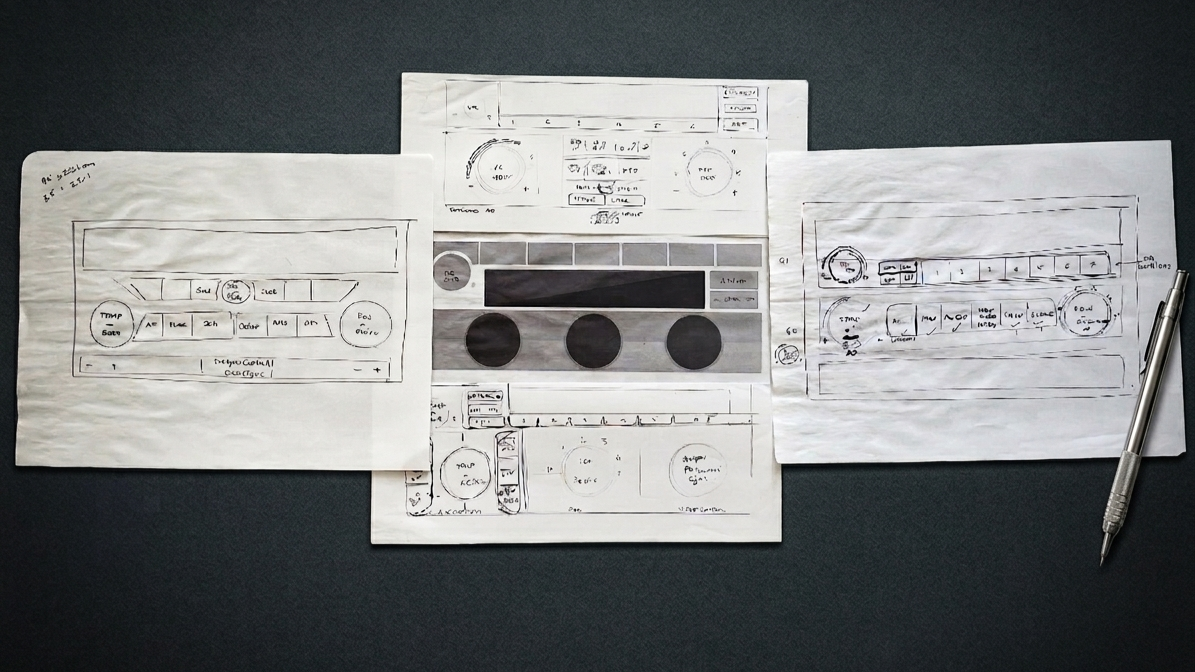
Early modular layout exploration — multiple architecture options for feature placement across both control modules
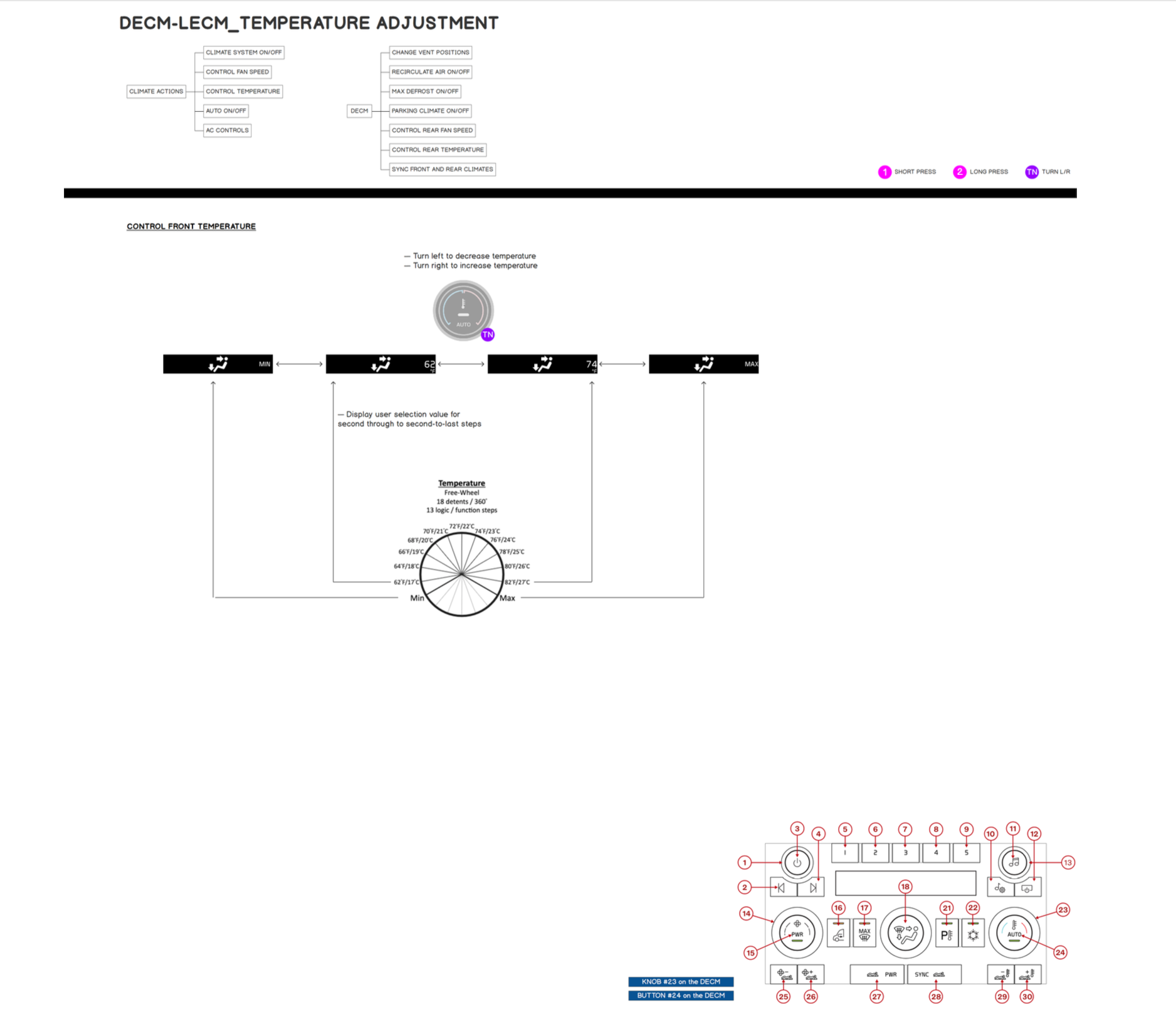
Driving Environment Control Module — final digital interface
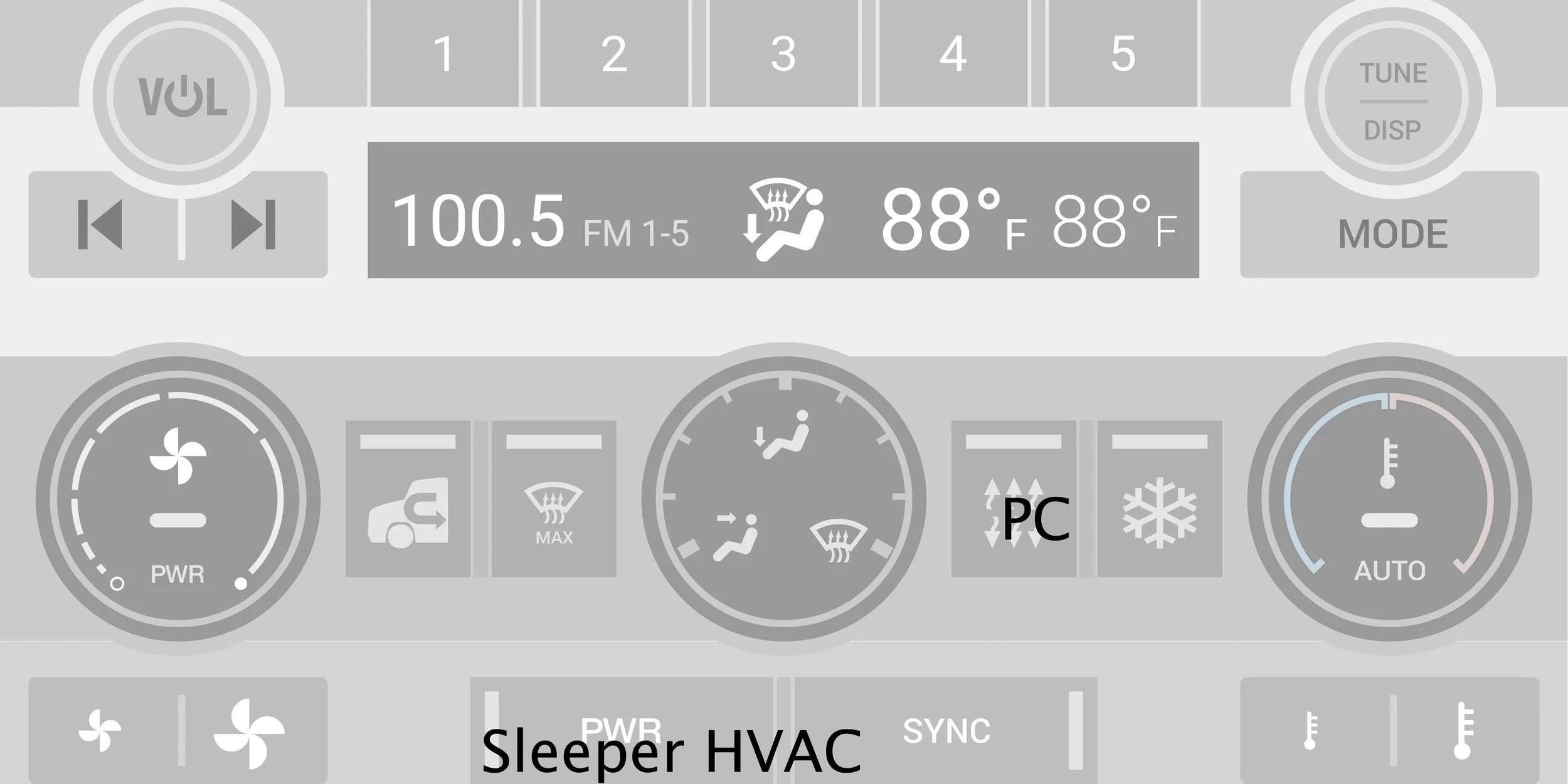
Final layout selected after iterative review with engineers and feature product owners — the version that went to production
Design decision — why modular architecture first
Starting with modular blocks rather than finished screens meant the layout could adapt when feature requirements changed mid-development, which they always do in complex vehicle programs. It also gave Industrial Designers a structured handshake point for physical component alignment.
Phase 02 — Logic & Engineering Collaboration
Building an interaction logic that engineers could build from
Using Balsamiq, I collaborated directly with software engineers to define the logic flows that mapped physical controls to digital outputs. This wasn't visual design — it was functional specification: how a button press changes a system state, how states cascade across the HMI, how the DECM and LECM interact when a driver switches contexts.
Early modular layout exploration — multiple architecture options for feature placement across both control modules
My contribution at this stage
I owned the bridge between design intent and engineering spec. The Balsamiq diagrams weren't wireframes for users — they were precise functional specifications for developers building embedded software where there's no iterating after the firmware is flashed.
Phase 03 — Pixel Implementation & Vendor Delivery
Pixel-perfect execution with an external vendor
The final graphical elements and interaction flows were implemented to pixel-perfect specification, then handed off to an external vendor for multi-brand production implementation. I maintained quality through the vendor relationship — reviewing builds, resolving visual discrepancies, and ensuring the interaction logic held across both Volvo and Mack brand implementations.was consistent across both Volvo and Mack
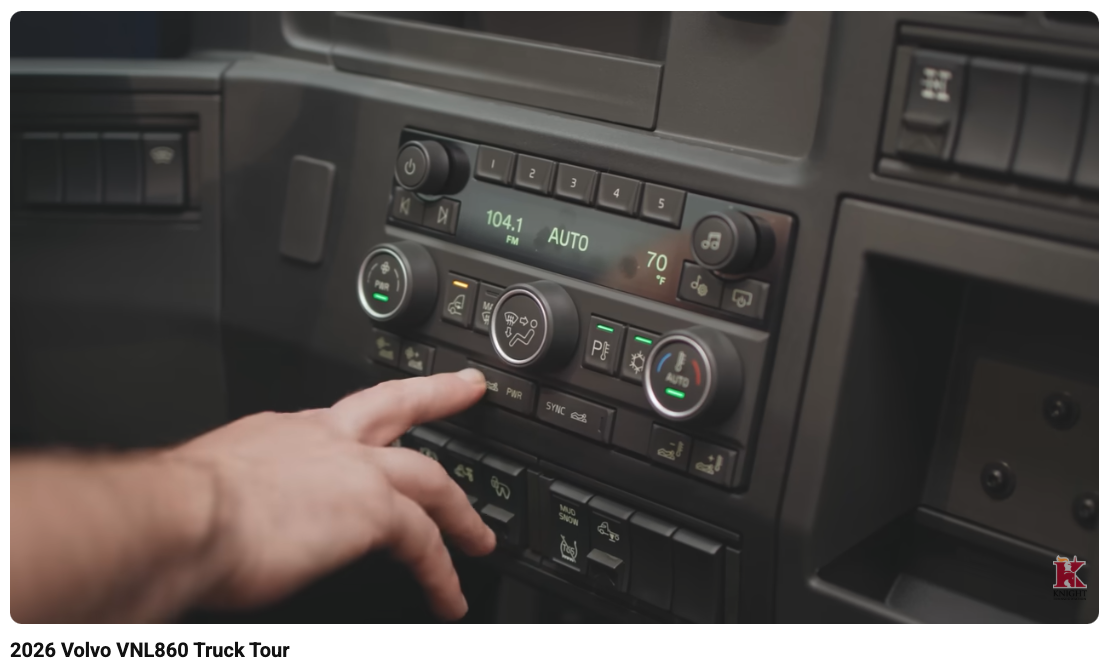
DECM — production hardware with integrated software

UI prototype of vent airflow interaction — used to validate interaction logic before embedded implementation
05 — Living Environment
The cab is also
home
Long-haul drivers spend days — sometimes weeks — in their cabs. The Living Environment Control Module governs climate, lighting, bunk controls, and comfort settings: the part of the truck that makes the difference between a workspace and a livable environment. Designing this required understanding driver rest patterns, temperature management in extreme conditions, and the contextual switch from "drive mode" to "rest mode."

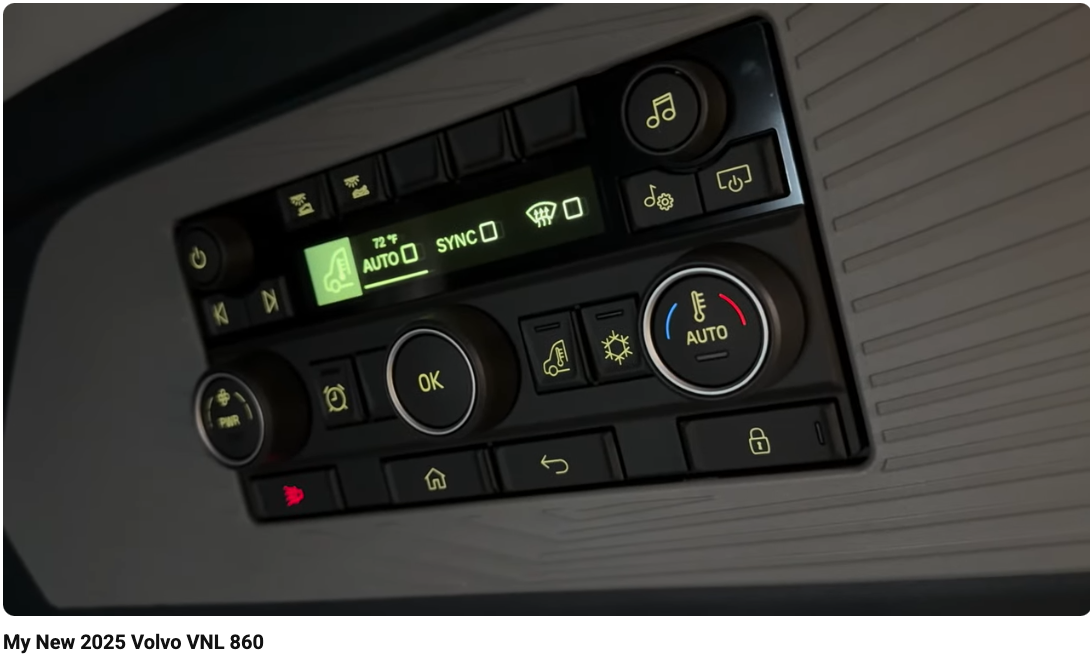
Design challenge unique to commercial trucking
The LECM had to work equally well for a driver in Phoenix at 110°F and a driver parked in Minnesota at -20°F, often controlling systems the driver can't physically reach from the cab seat. Every control had to be operable by touch with work gloves on — a constraint that eliminated most standard touch interaction patterns and required larger, more distinctly spaced targets than any consumer product equivalent.
06 — Cluster & Iconography
Information at
a glance
The instrument cluster and iconography system are the most safety-critical design surfaces in the vehicle. A misread warning icon or a poorly prioritized cluster display is a safety event. Every element was designed under strict legibility, contrast, and glanceability requirements — and validated against regulatory standards for commercial vehicle displays.
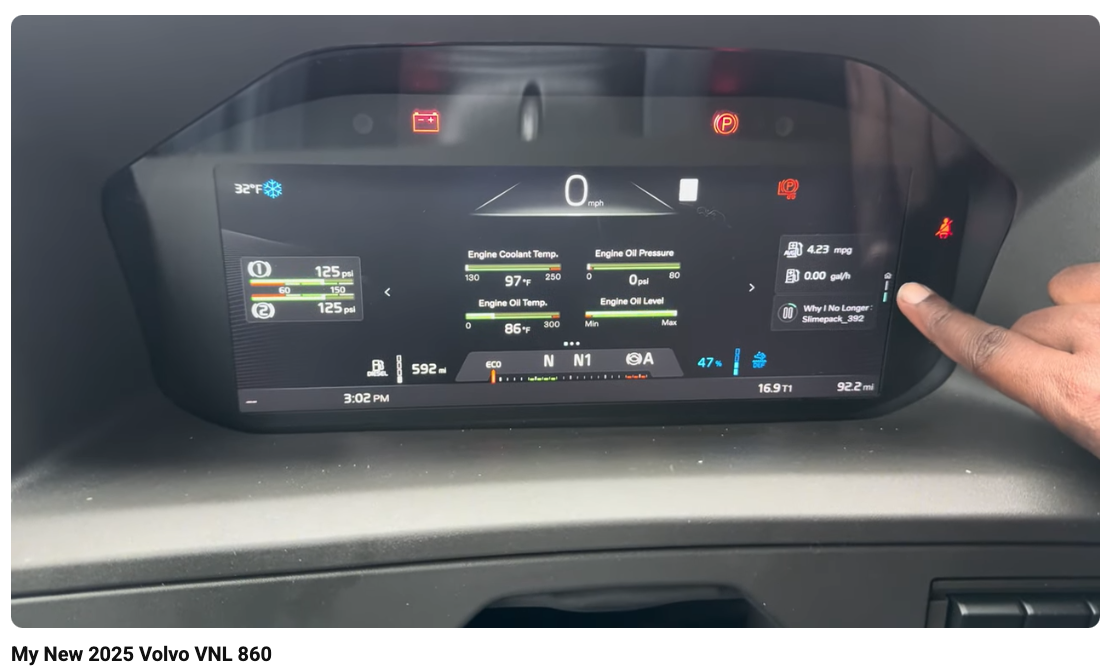
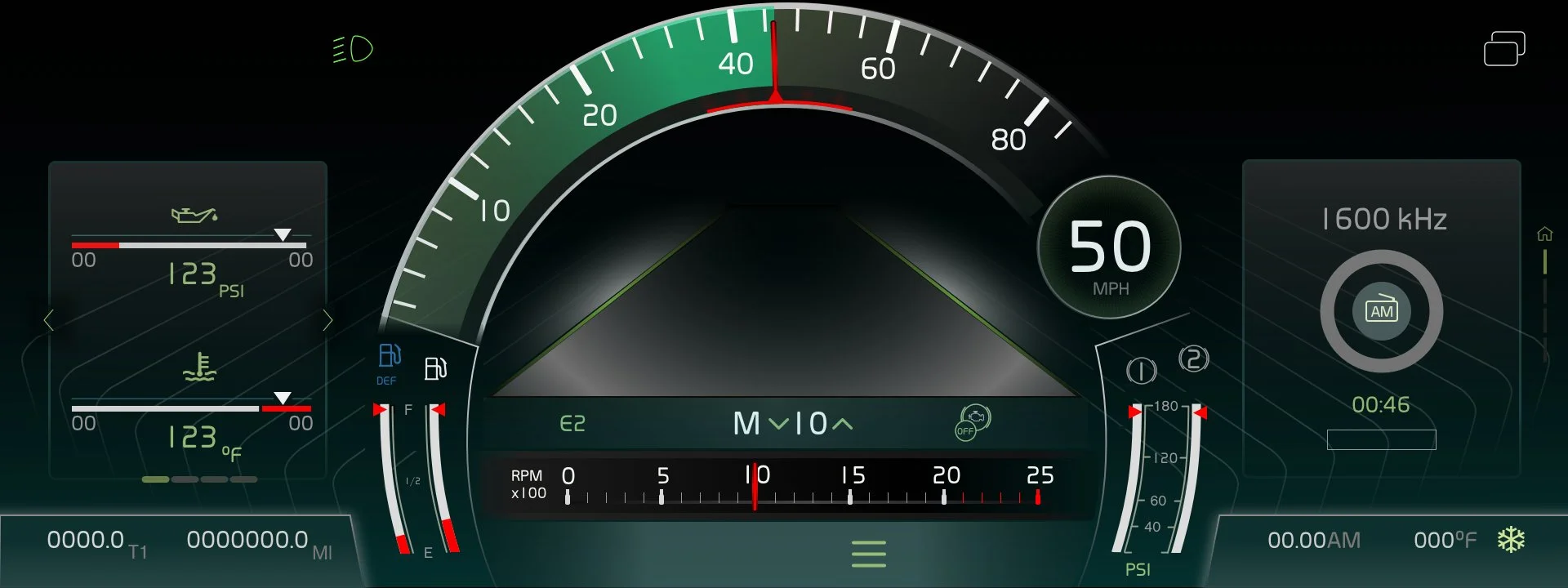
Cluster Design
Extended gauge sets
Developed the complete gauge set family for the VNL instrument cluster — designed for maximum legibility under variable lighting conditions, from bright desert sun to night driving in rain. Each gauge variant was tested for angular readability from the driver's eye position.
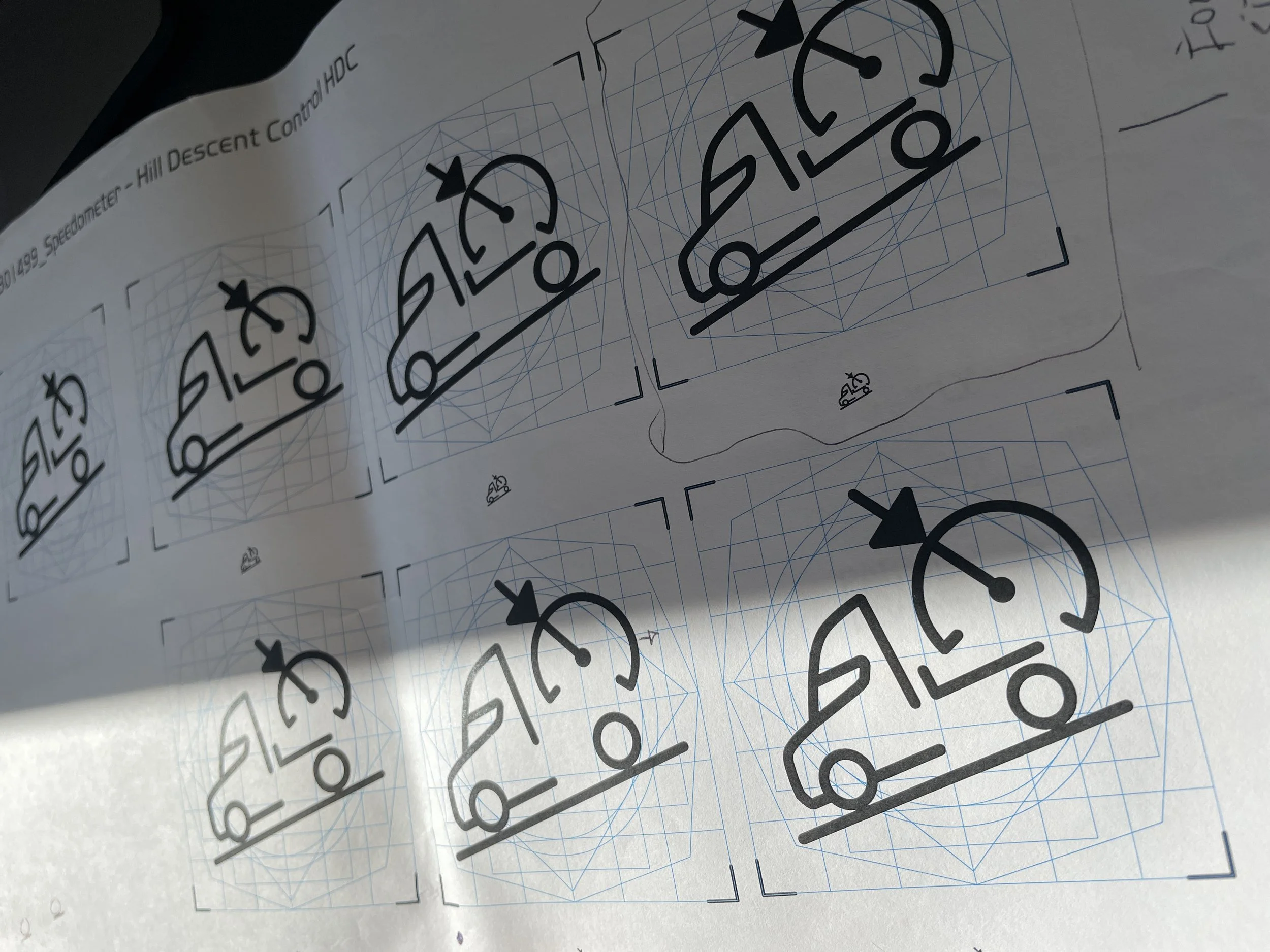
Iconography System
Iconography — designed and implemented
Created the complete set of icons for both physical control modules and digital interfaces. Icons needed to clearly convey system states without text labels — essential for international markets where drivers may not read English and for quick recognition at highway speeds.
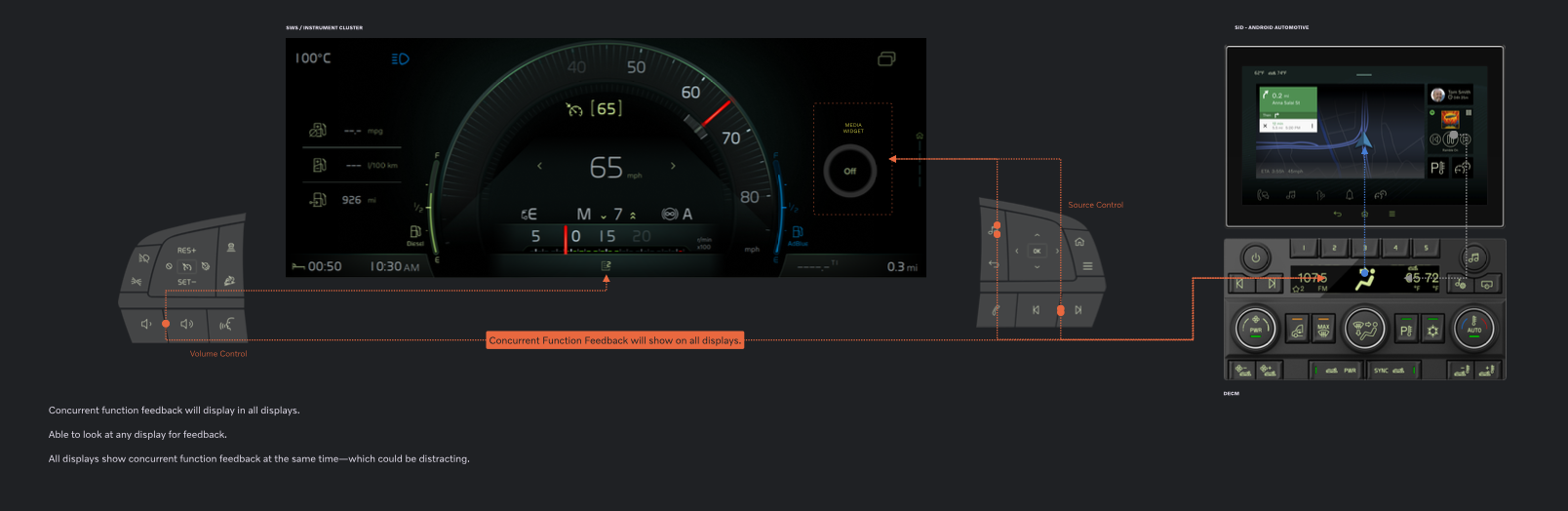
Hardware-software interaction mapping — showing how physical controls and digital interfaces communicate state across the full cab environment
07 - CONNECTIVITY
The cab extends
beyond the cab
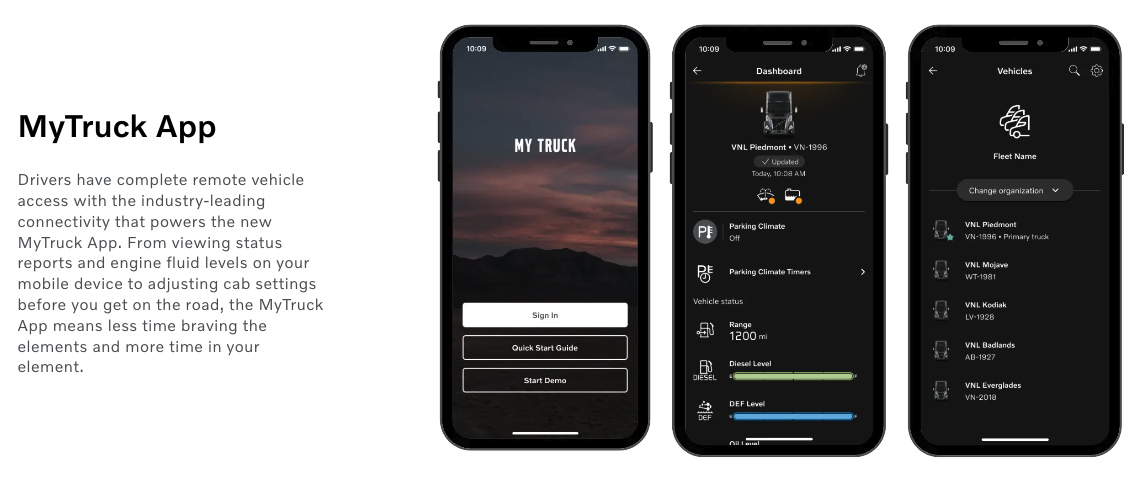
MyTruck — North American Companion App
I contributed to the North American version of the MyTruck companion app — the bridge between in-cab systems and drivers' mobile devices. The app connects fleet managers, dispatchers, vehicle diagnostics, and route planning into a single mobile experience that syncs, with the in-cab HMI.
The design challenge: in-cab and mobile contexts are radically different. In-cab: glove-friendly, large targets, minimal reading. Mobile: full interaction capability but now used at rest stops, truck scales, or dispatch conversations. The same data had to feel appropriate in both contexts without requiring the driver to mentally switch frameworks.
Design principle — context-aware, not duplicate
Rather than mirroring the in-cab interface on mobile, we designed the app as a complement — surfacing details that the cluster couldn't show at speed, and enabling pre-trip planning that loaded into the HMI automatically when the driver started the truck.