
New Volvo Truck Cluster, Infotainment & Companion mobile Application
Volvo VNL Platform. Volvo Trucks North America
100+
End-User Features & Important Function Development & integration
4
Touchpoints carrying the mark: hardware, software, marketing, app
2
Interaction contexts unified in cab and mobile
VNL
Platform - North America’s flagship heavy duty truck
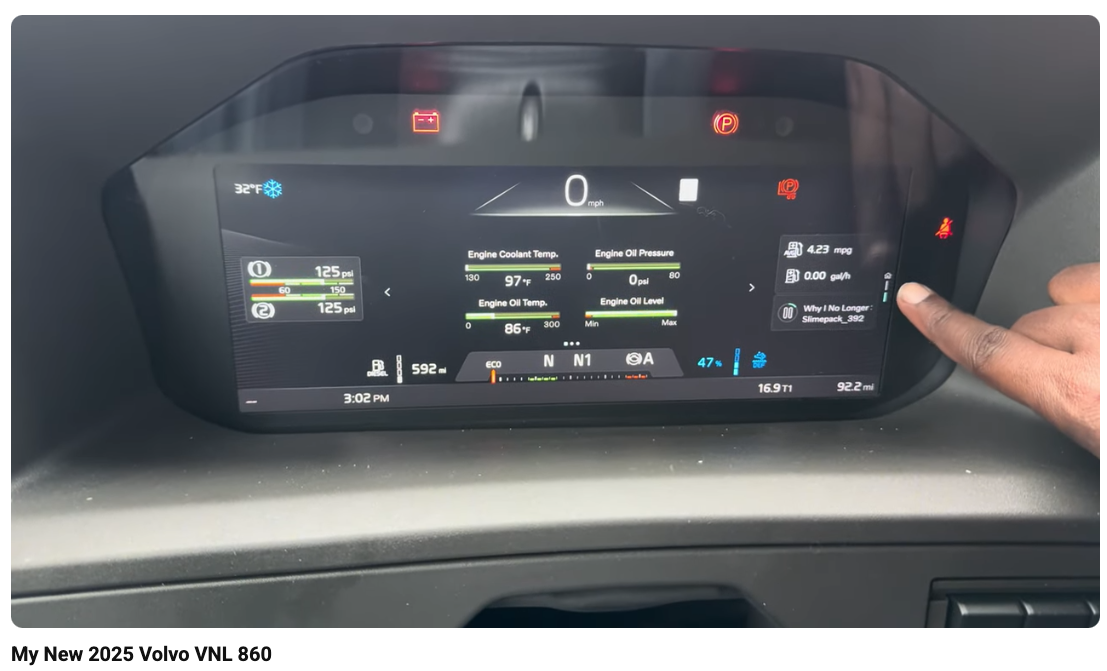
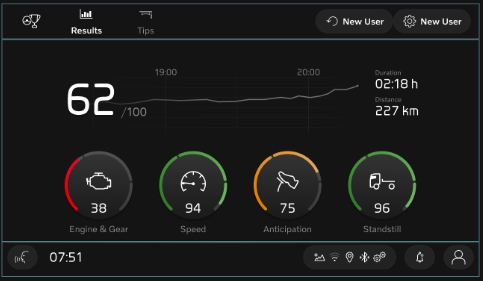
My Role
Interaction Designer - Digital Cluster, Infotainment and Companion App
Timeline
2019 – 2022
Released on the market in 2025
Company
Volvo Trucks North America
(shared with MACK & EU platforms)
Scope
Cluster architecture, gauge family, End user features and functions, MyTruck NA Companion App
01 - Cluster
Information at
a glance
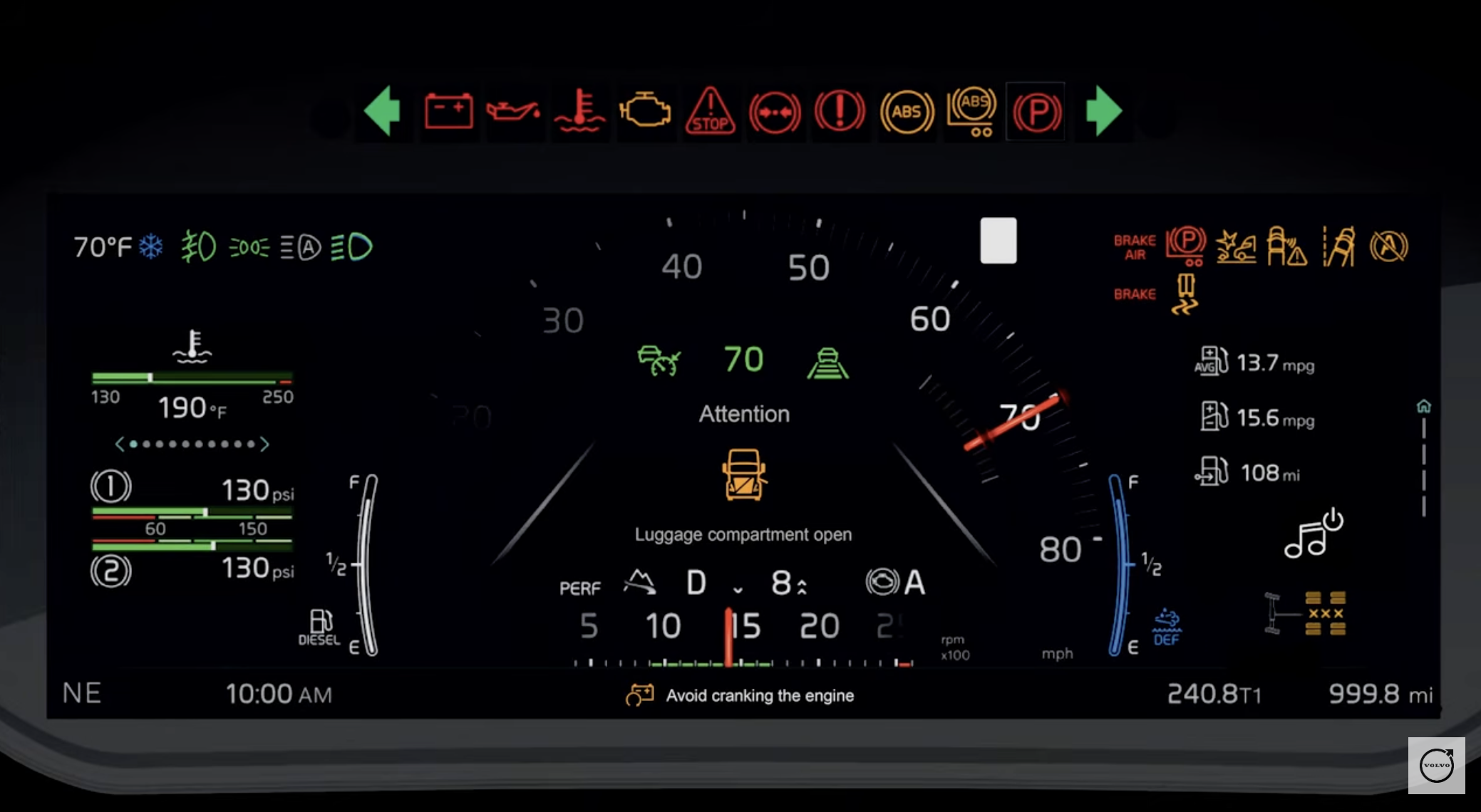
The instrument cluster and iconography system are the most safety-critical design surfaces in the vehicle. A misread warning icon or a poorly prioritized cluster display is a safety event. I designed every element under strict legibility, contrast, and glanceability requirements and validated it against regulatory standards for commercial vehicle displays.
Cluster Design
Developed the design for the digital cluster, including dials, gauge positions, and menu architecture.
Features
Developed and designed multiple features for driver focus and driver behavior dashboard.
Extended gauge sets
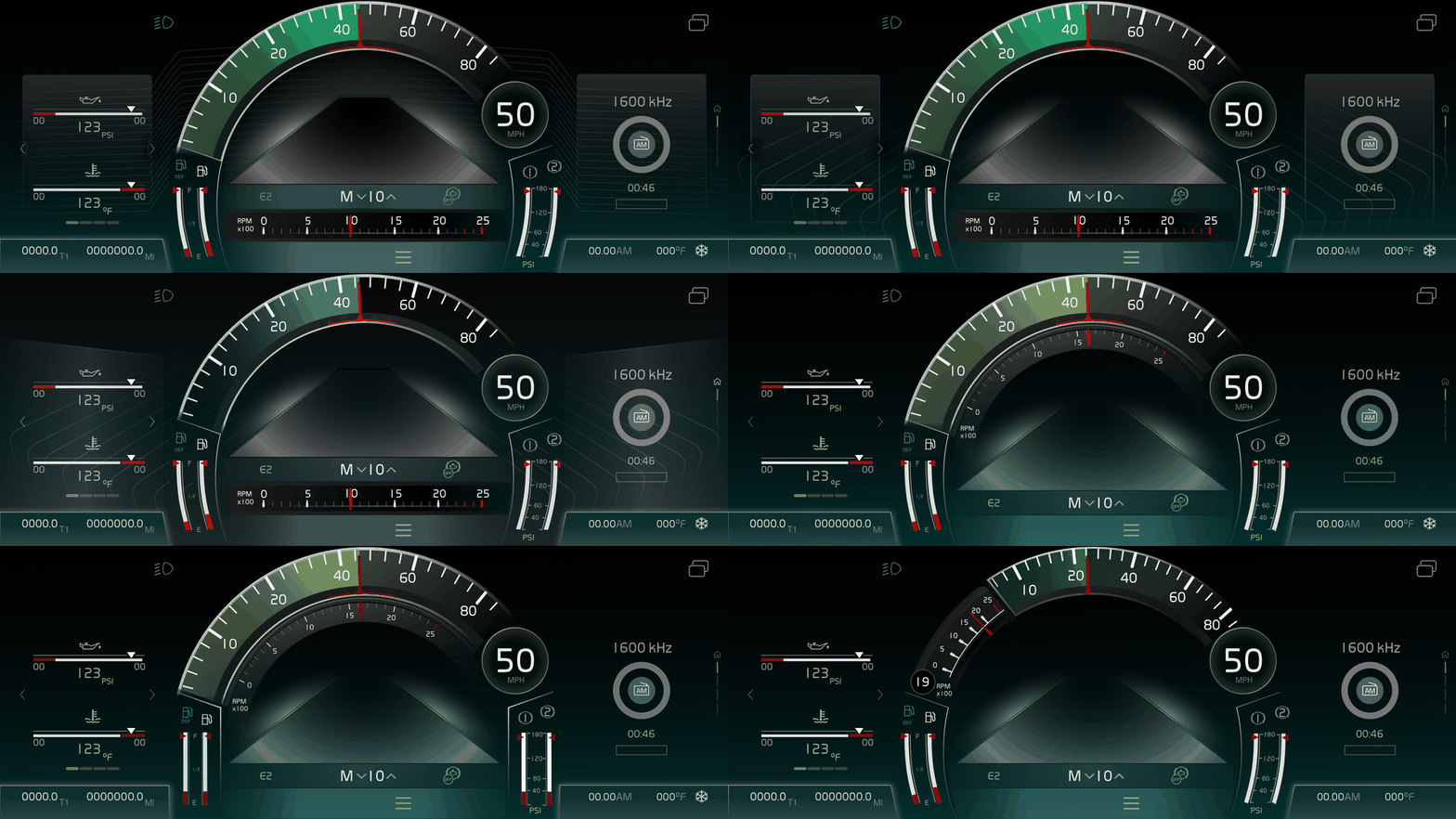
Developed the complete gauge set family for the VNL instrument cluster, designed for maximum legibility under variable lighting conditions, from bright desert sun to night driving in rain. Each gauge variant was tested for angular readability from the driver's eye position.
Cluster Architecture
Dials, gauges, and menus designed as one system
Developed the design for the digital cluster, including dial layout, gauge positions, and menu architecture — the structural decisions that determine what a driver sees first, and what they have to dig for.
Why gauge position is a safety decision, not a layout one
On a Class 8 truck, where a gauge sits determines how fast a driver can confirm a reading without taking their eyes off the road for too long. Positioning wasn't treated as visual balance — it was treated as a direct input to how long a driver's eyes leave the road.
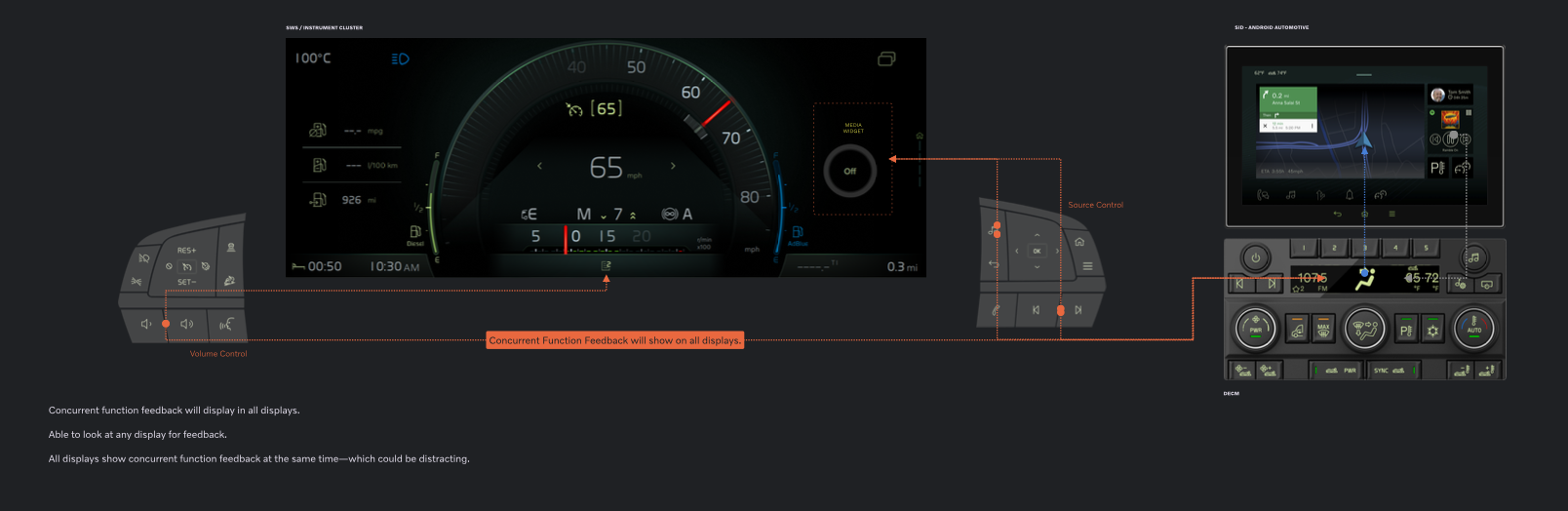
Hardware-software interaction mapping - showing how physical controls and digital interfaces communicate state across the full cab environment
02 - MyTruck Companion App
The bridge between the cab and the driver's pocket
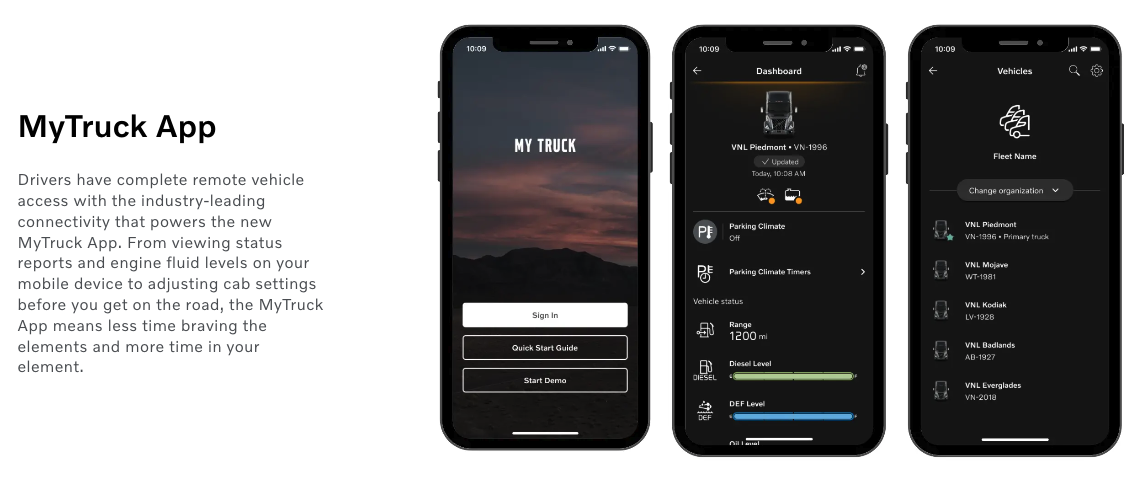
MyTruck - North American Companion App
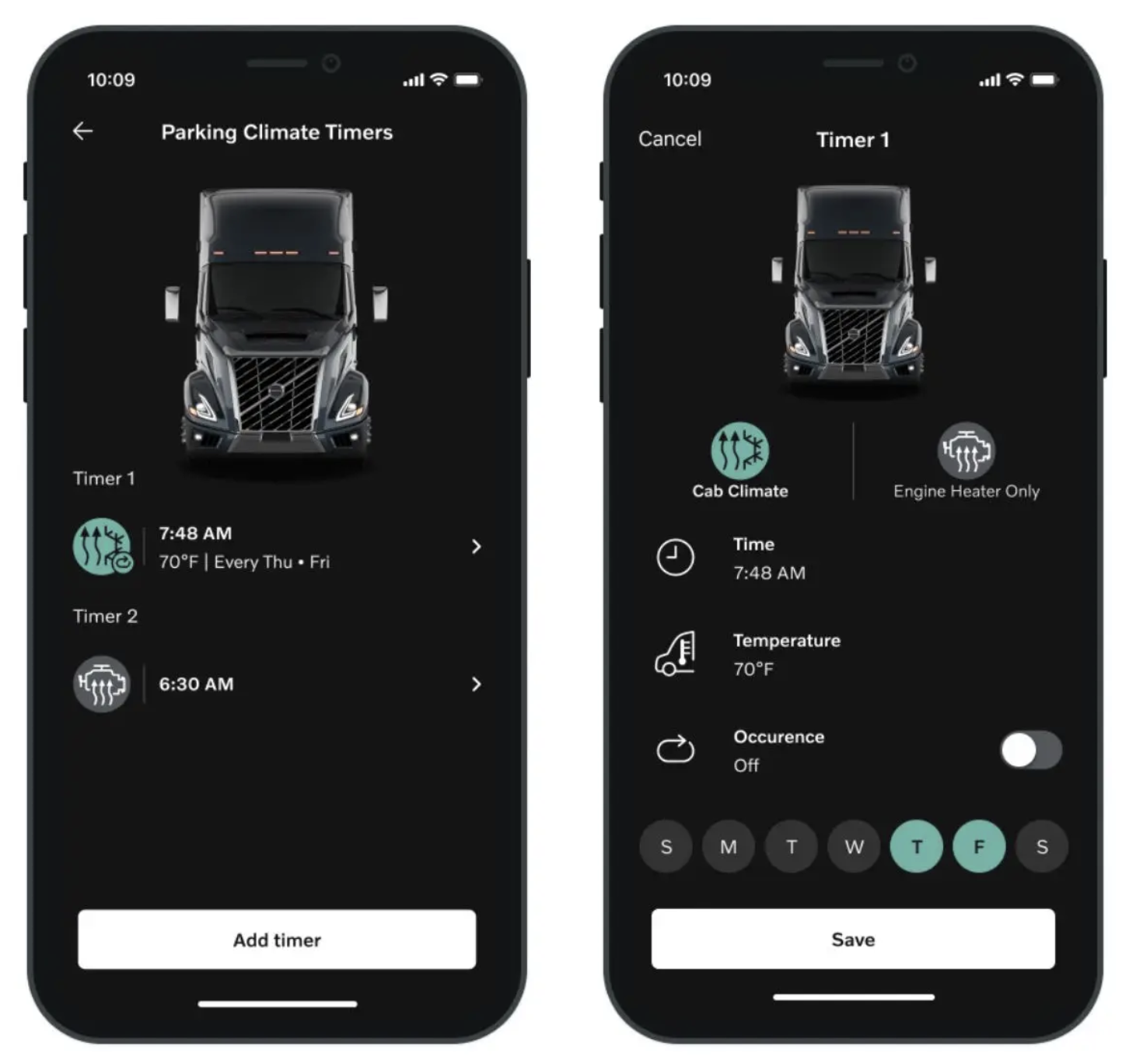
I contributed to the North American version of the MyTruck companion app, the bridge between in-cab systems and drivers' mobile devices. The app connects fleet managers, dispatchers, vehicle diagnostics, and route planning into a single mobile experience that syncs with the in-cab HMI.
The design challenge: in-cab and mobile contexts are radically different. In-cab: glove-friendly, large targets, minimal reading. Mobile: full interaction capability but now used at rest stops, truck scales, or dispatch conversations. The same data had to feel appropriate in both contexts without requiring the driver to mentally switch frameworks.
Design principle : Context-aware, not duplicate
Rather than mirroring the in-cab interface on mobile, we designed the app as a complement surfacing details that the cluster couldn't show at speed, and enabling pre-trip planning that loaded into the HMI automatically when the driver started the truck.
03 - Outcome
One continuous experience, from the dash to the driver's hand
The cluster and MyTruck app shipped as two ends of a single continuity — vehicle state read the same way whether a driver was behind the wheel or standing at a truck stop checking their phone, as part of the Red Dot & IDEA award-winning VNL HMI platform.